Why DistroKid rejects an AI album cover, and how to fix it
DistroKid rejects a cover art file for concrete, mechanical reasons, not because the image was generated. The published requirements are a JPEG at least 1000x1000 pixels, ideally 3000x3000, saved in RGB colour space, with no URLs, QR codes, social handles, streaming logos or cover text that conflicts with platform policy. The AI-specific question is separate: DistroKid asks you to declare which parts of a release were AI-generated, and the artwork must belong to you and be free of third-party material.
Last updated: 2026-10-04
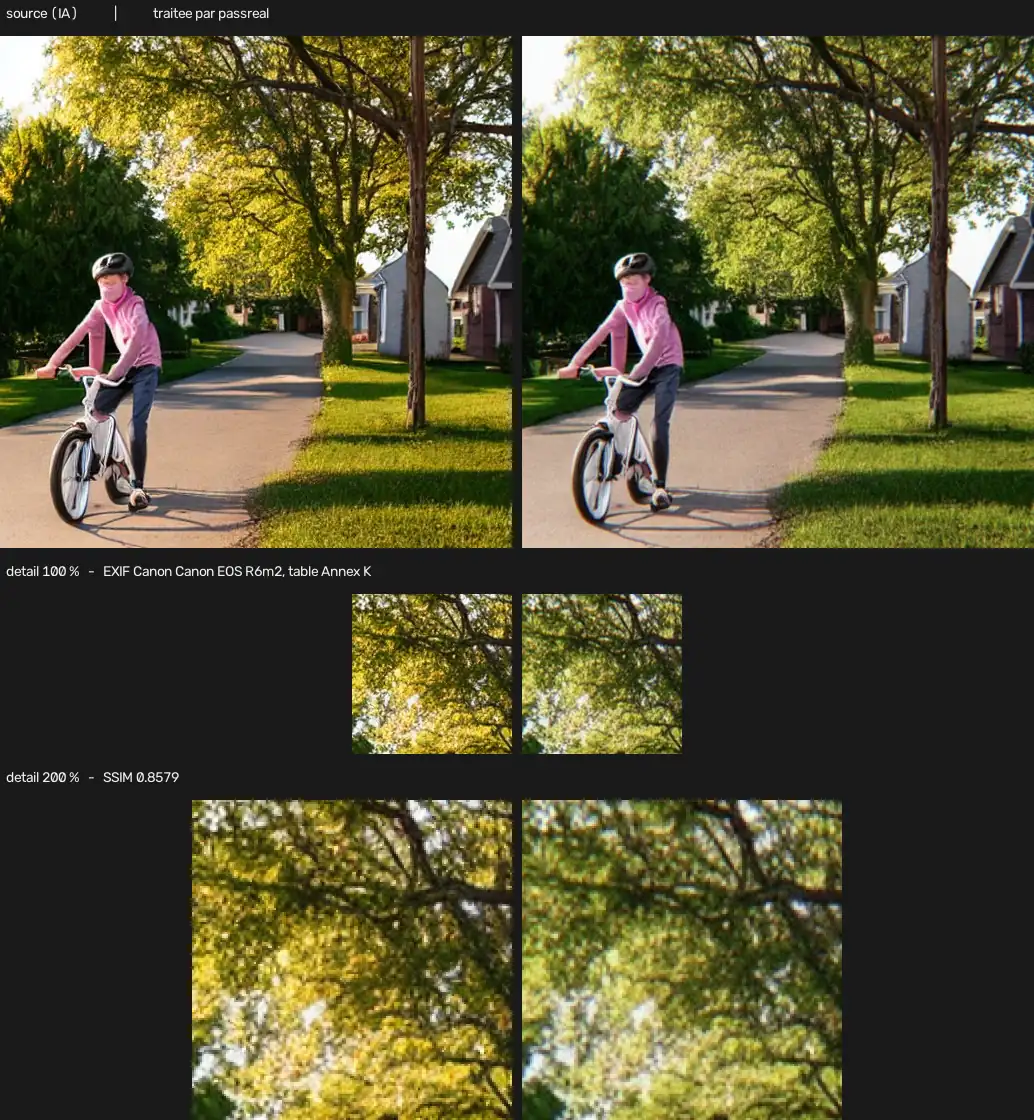
The rejection is usually mechanical, not AI
Artists land on this page with a specific fear: that DistroKid has an AI detector pointed at cover art, and that a generated image is being caught by it. That is not how the review works.
DistroKid rejects a cover for concrete, published reasons that apply identically to a photo, a painting or a render. The file has to be a JPEG at least 1000 by 1000 pixels, ideally 3000 by 3000, saved in RGB colour space. It must not carry a URL, a QR code, a social handle, a streaming logo, or text that clashes with what a store will allow. A cover that fails one of those is removed whether a person or a model made it.
The AI question lives in a different place: the ownership and disclosure declarations that surround the release as a whole.
The requirements that actually remove covers
Five things do the work in practice.
- Size and format. Below 1000x1000, or the wrong file type, and the cover is refused before anything else is looked at.
- Colour space. A file that looks right on screen can still be in the wrong colour space, which is one of the most common silent rejection causes.
- URLs, QR codes and handles. Any of these gets a cover refused, because stores treat them as off-platform promotion.
- Streaming logos and third-party marks. Artwork that implies an endorsement or borrows a brand is removed.
- Misleading or incomplete release information. The artwork has to match the release being delivered: same artist, same title, same credits.
None of these is about whether the image was generated. The fix for each is the same as it would be for a photograph.
Where AI actually matters: ownership and disclosure
DistroKid does not refuse AI artwork as a category, but it does ask you to be straight about it. Since April 2026 the upload form asks which parts of a release were made with AI tools, and that declaration follows the release onto the stores as AI credits.
The rule underneath is ownership. You have to own the artwork and everything in it, with no unlicensed third-party material, no cloned voice passing itself off as a living artist, and no bulk upload of near-identical raw outputs. That last one is aimed at stream farming, not at cover art, but it shows where the platform's real attention goes: to rights and honesty, not to whether a file was rendered.
A cover that is your own, generated from your own direction, clears that bar. A cover that borrows a character, a font or a fragment of someone else's work does not, and no file processing changes that.
What PassReal changes, and what it does not
PassReal operates on the file. It strips the provenance a generator writes, applies a sensor model, and writes coherent camera EXIF with a matching quantization table, so the result reads as a photograph rather than as generated output with its metadata deleted.
For a metadata-driven check, that is the whole job. A file that no longer declares a machine origin has nothing for that check to read.
What it does not touch is everything else on the rejection list. Size, colour space, URLs, logos and disclosure all live outside the pixels, and they are the things that actually get a cover removed. Fix those first, in the export and in the upload form, and treat PassReal as the last step on the file itself rather than the first.
The order that prevents a second rejection
The reliable sequence is short and unglamorous.
- Read the rejection reason. It names the problem; guessing wastes a resubmission.
- Fix the mechanical cause in the export: dimensions, colour space, and the forbidden elements.
- Confirm the release information matches the artwork.
- Declare the AI use the form asks about, honestly.
- Then, if the concern is the file's provenance, process it so it reads as a camera image.
A cover that fails the mechanical checks fails again no matter how clean its metadata is. A cover that passes them and still declares a machine origin is exactly the case PassReal addresses.
| What is checked | Value |
|---|---|
| Accepted formats | PNG, JPEG, WebP |
| Maximum size | 20 MB |
| Maximum dimension | 8192 px on the longest side |
| Sensor grain intensity | 0.018 |
| Lateral chromatic aberration | 1.25 px at the corners, none at the centre |
| Frequency cutoff | 0.88 of Nyquist |
Questions
Does DistroKid allow AI-generated album art?
Yes. DistroKid does not reject artwork for being generated. What it enforces is ownership and the mechanical cover requirements: format, dimensions, colour space and the list of forbidden elements. An AI cover that is your own, at the right size, without URLs or logos, passes the same review as any other cover.
Why did my cover actually get rejected?
Almost always a mechanical cause: the file is smaller than 1000x1000, is in the wrong colour space, carries a URL or QR code, shows a streaming logo, or includes text that breaks platform policy. Generated art does not get rejected for its origin; it gets rejected for the same reasons a photo or a painting does.
Does DistroKid ask me to declare AI use?
Yes. Since April 2026 the upload form asks which parts of a release are AI-generated, and that information is shown as AI credits on stores. The disclosure is about the music and the release as a whole, and the artwork sits inside that same ownership requirement: it must be yours and cleared of third-party material.
Can DistroKid detect that my cover is AI-generated?
DistroKid's review is not a pixel-level AI detector aimed at cover art. The checks that remove a release are ownership, rights documentation, impersonation, bulk unedited submissions and the cover requirements above. An AI cover that is cleanly yours clears the artwork gate.
What does PassReal change on a cover?
It strips generation metadata, applies a sensor model and writes coherent camera EXIF with a matching quantization table, so the file reads as a photograph rather than as generated output. That addresses metadata inspection. It does not change the dimensions, colour space or forbidden elements, which you must fix before upload regardless.
Will PassReal get a rejected cover approved?
Only if the rejection reason was the file's declared provenance. If the cover was rejected for size, colour space, a URL or a logo, processing changes none of that and the resubmission fails again. Read the rejection reason first, then decide whether the fix is pixels or metadata.
Limits
Naturalization operates on the pixels and on the file, not on the content of the image. A subject that is implausible - six fingers, inconsistent reflections, text that does not read - stays implausible after processing, and a human reviewer will notice it. PassReal changes what a statistical classifier measures, not what a person sees.
Results vary by generator, by subject and by detector, and detectors are retrained. No pass rate is published on this page because none has been measured in a way that would still hold next month.
Three images, no card, no expiry.