What error level analysis shows, and what people think it shows
Error level analysis re-saves a JPEG at a known quality and displays the difference between that and the original. Bright regions have compressed differently from their surroundings, which usually means they were edited or pasted. ELA does not detect AI generation, and reading a uniformly bright ELA image as proof of anything is the most common mistake made with the tool.
What the tool actually computes
Error level analysis takes a JPEG, saves it again at a fixed quality, and displays the per-pixel difference between the two versions. That is the whole operation.
JPEG compression is lossy in a way that depends on what has already been thrown away. A region compressed several times is already close to what the encoder would produce, so re-saving changes it little and it appears dark. A region introduced recently - pasted from elsewhere, painted in, rendered on top - has not been through the same history, so re-saving changes it more and it appears bright.
The output is therefore a map of compression history, not of authenticity. It answers "has this part of the image been through the same processing as the rest", which is a useful question when someone has spliced a helicopter into a photograph, and a mostly irrelevant one when the entire frame came out of a model in a single pass.
Why generated images confuse people who read it
A generated image is internally consistent. Nothing was pasted, so nothing has a different history, so there is no bright region standing out against a dark background. The ELA view frequently looks calm.
The opposite failure is more common. Uploading a PNG, or a JPEG saved at maximum quality, produces a frame that lights up everywhere, because the file has effectively no compression history to compare against. People read that uniform brightness as an alarm. It means the file has not been through a lossy encode, which is true of every PNG ever made, including photographs exported as PNG.
The tab that does the work
FotoForensics shows metadata alongside ELA, and for most uploads that tab decides the matter first. It lists what the file declares about itself: make, model, exposure, lens, software.
A file with no camera fields at all is unusual, because phones and bodies always write them. A file carrying a software tag naming a generation tool has answered the question outright. Neither finding requires interpreting a single pixel, and both are faster to reach than any analysis.
Reading an ELA view without fooling yourself
A few habits keep the tool useful rather than misleading.
- Compare against a control. Run a photograph you took yourself through the same view, at the same quality, before drawing conclusions about anything else. Without a baseline, every ELA image looks alarming.
- Ignore uniform brightness. It reports compression history, not manipulation, and a never-compressed file is uniformly bright by definition.
- Look for boundaries, not brightness. The finding is a region whose response differs sharply from its surroundings along an edge that does not correspond to anything in the picture.
- Expect high-contrast edges to glow. Text, logos and hard boundaries always respond strongly, in authentic photographs as much as anywhere else.
- Re-upload the same file twice. FotoForensics re-encodes on upload, so an image already analysed once has a different history the second time.
Practitioners treat the view as a pointer toward a region worth examining with other methods. Read as a verdict on its own, it produces confident conclusions about untouched photographs, which is how it acquired its reputation.
Where processing fits
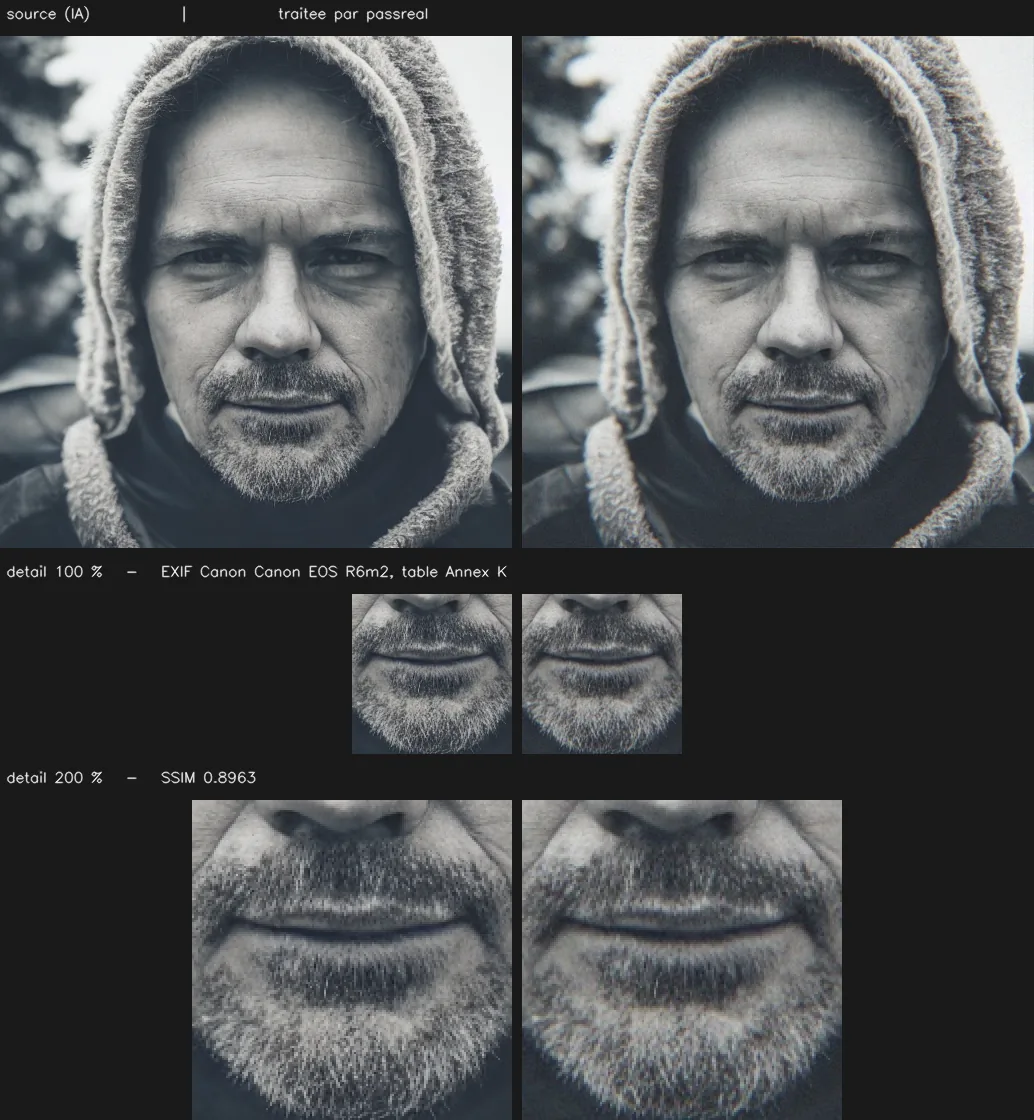
The pipeline's last stage writes the output as a JPEG with EXIF describing a specific body, and with that make's measured quantization table rather than the standard library one. The compression history becomes ordinary - one encode, with tables consistent with the claimed origin - and the metadata tab reads like a photograph's.
Upstream of that, the sensor stage restores a noise floor at intensity 0.018 and applies lateral chromatic aberration reaching 1.25 px at the corners, and the frequency stage attenuates upsampling residue at 0.88 of Nyquist. Those stages address statistical classifiers rather than ELA, which is looking for something else entirely.
| What is checked | Value |
|---|---|
| Accepted formats | PNG, JPEG, WebP |
| Maximum size | 20 MB |
| Maximum dimension | 8192 px on the longest side |
| Sensor grain intensity | 0.018 |
| Lateral chromatic aberration | 1.25 px at the corners, none at the centre |
| Frequency cutoff | 0.88 of Nyquist |
Questions
Does ELA detect AI-generated images?
Not directly. It surfaces inconsistent compression history within one file, which is a splicing signal. A generated image is internally consistent because the whole frame was produced at once, so it often looks unremarkable under ELA.
Why does my PNG look completely white in ELA?
Because a PNG has never been JPEG-compressed. The first re-save differs everywhere, so the whole frame lights up. This says the file is not a JPEG, and nothing else. The same happens for a JPEG saved at very high quality.
What are the other tabs on FotoForensics for?
The metadata tab is usually more informative than ELA. It lists EXIF, and for many uploaded files the absence of camera fields, or the presence of a software tag naming a generation tool, settles the question before any pixel analysis begins.
Does processing change the ELA result?
Yes, though not as a goal in itself. The output is a JPEG encoded once with a camera quantization table, so it has a normal compression history and a normal ELA response, rather than the uniform brightness of a never-compressed file.
Is ELA still used by professionals?
Rarely as evidence, often as triage. Its limitations are well documented in the forensics literature, and it is easy to misread. Practitioners treat a bright region as a reason to look closer, not as a finding.
Limits
Naturalization operates on the pixels and on the file, not on the content of the image. A subject that is implausible - six fingers, inconsistent reflections, text that does not read - stays implausible after processing, and a human reviewer will notice it. PassReal changes what a statistical classifier measures, not what a person sees.
Results vary by generator, by subject and by detector, and detectors are retrained. No pass rate is published on this page because none has been measured in a way that would still hold next month.
Three images, no card, no expiry.